
58 lines
1.8 KiB
Markdown
58 lines
1.8 KiB
Markdown
# Spring Boot && JWT Demo
|
|
|
|
Spring Boot를 이용한 간단한 JWT 예시 레포지토리
|
|
|
|
---
|
|
<img src="https://img.shields.io/badge/postgresql-gray?style=for-the-badge&logo=postgresql&logoColor=white"> <img src="https://img.shields.io/badge/Spring Boot-green?style=for-the-badge&logo=spring&logoColor=white"> <img src="https://img.shields.io/badge/redis-red?style=for-the-badge&logo=redis&logoColor=black"> <img src="https://img.shields.io/badge/Swagger-gree?style=for-the-badge&logo=Swagger&logoColor=black">
|
|
|
|
|
|
# How to use authenticationManager Bean in 5.7.1
|
|
|
|
> 참고 : https://spring.io/blog/2022/02/21/spring-security-without-the-websecurityconfigureradapter
|
|
|
|
### Question
|
|
Is there any example how can I expose the AuthenticationManager bean? Previously I could do this by extending WebSecurityConfigurerAdapter and then creating the following method in my security config:
|
|
```
|
|
@Override
|
|
@Bean
|
|
public AuthenticationManager authenticationManagerBean() throws Exception {
|
|
return super.authenticationManagerBean();
|
|
}
|
|
```
|
|
|
|
### Answer
|
|
The following solution solved the issue for me.
|
|
```
|
|
@Bean
|
|
public AuthenticationManager authenticationManager(AuthenticationConfiguration authenticationConfiguration) throws Exception {
|
|
return authenticationConfiguration.getAuthenticationManager();
|
|
}
|
|
```
|
|
|
|
# Profile
|
|
Set ```application.yml``` to use ```.dev.env``` file
|
|
```yaml
|
|
spring:
|
|
config:
|
|
import: optional:file:.dev.env[.properties]
|
|
```
|
|
|
|
# API Doc
|
|
You can see API Document on
|
|
http://localhost:3000
|
|
|
|
## Preview
|
|
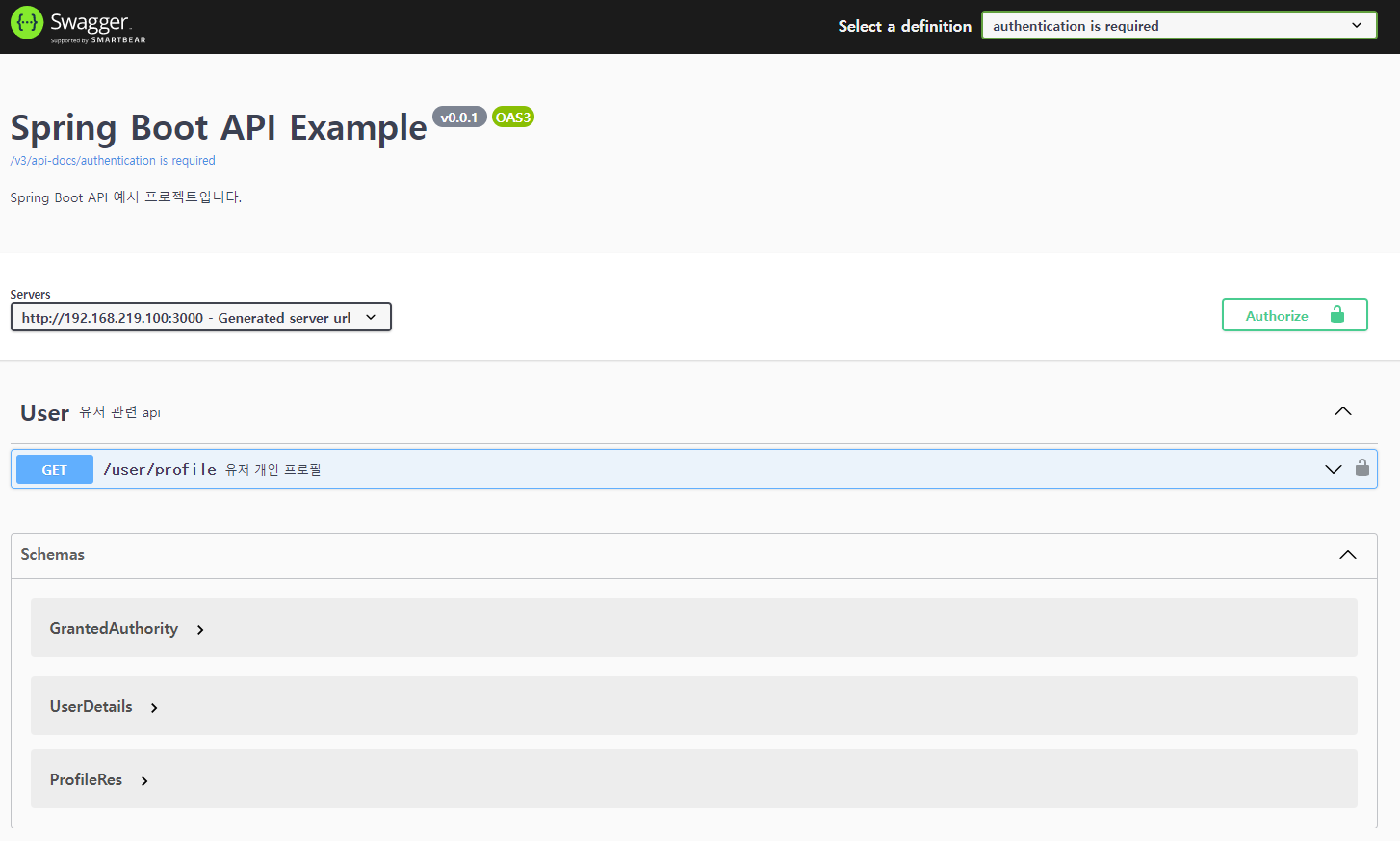
### Group 1
|
|
> authentication is required
|
|
|
|
|
|
|
|
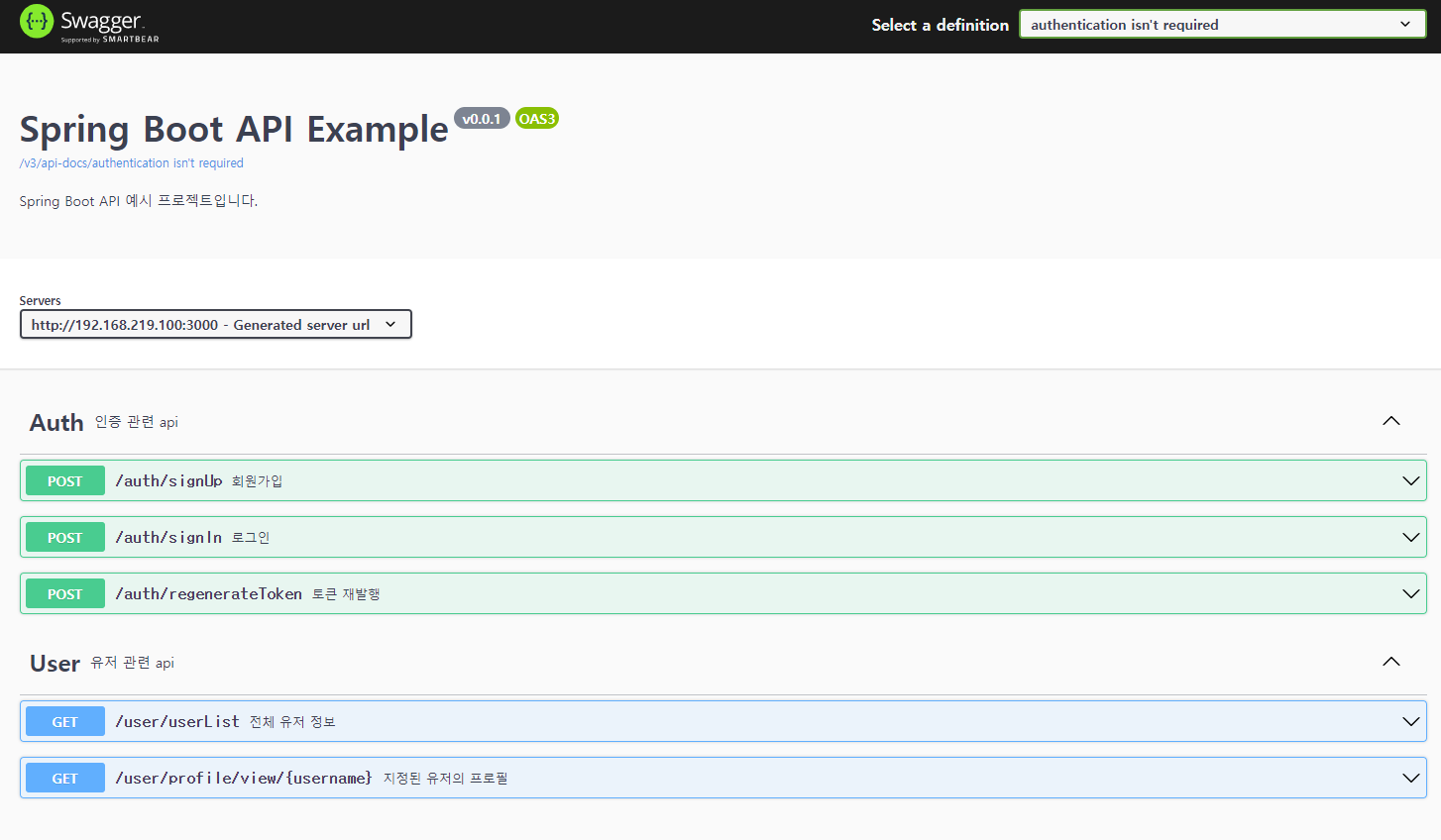
### Group 2
|
|
> authentication is not required
|
|
|
|
|
|
|
|
|
|
# TODO
|
|
|
|
- [ ] Apply QueryDSL |